MPV Anime Build v5.4
Performance. Audio Profiling. Pure Immersive Media.
Performance. Audio Profiling. Pure Immersive Media.
 Anime4K (Art)
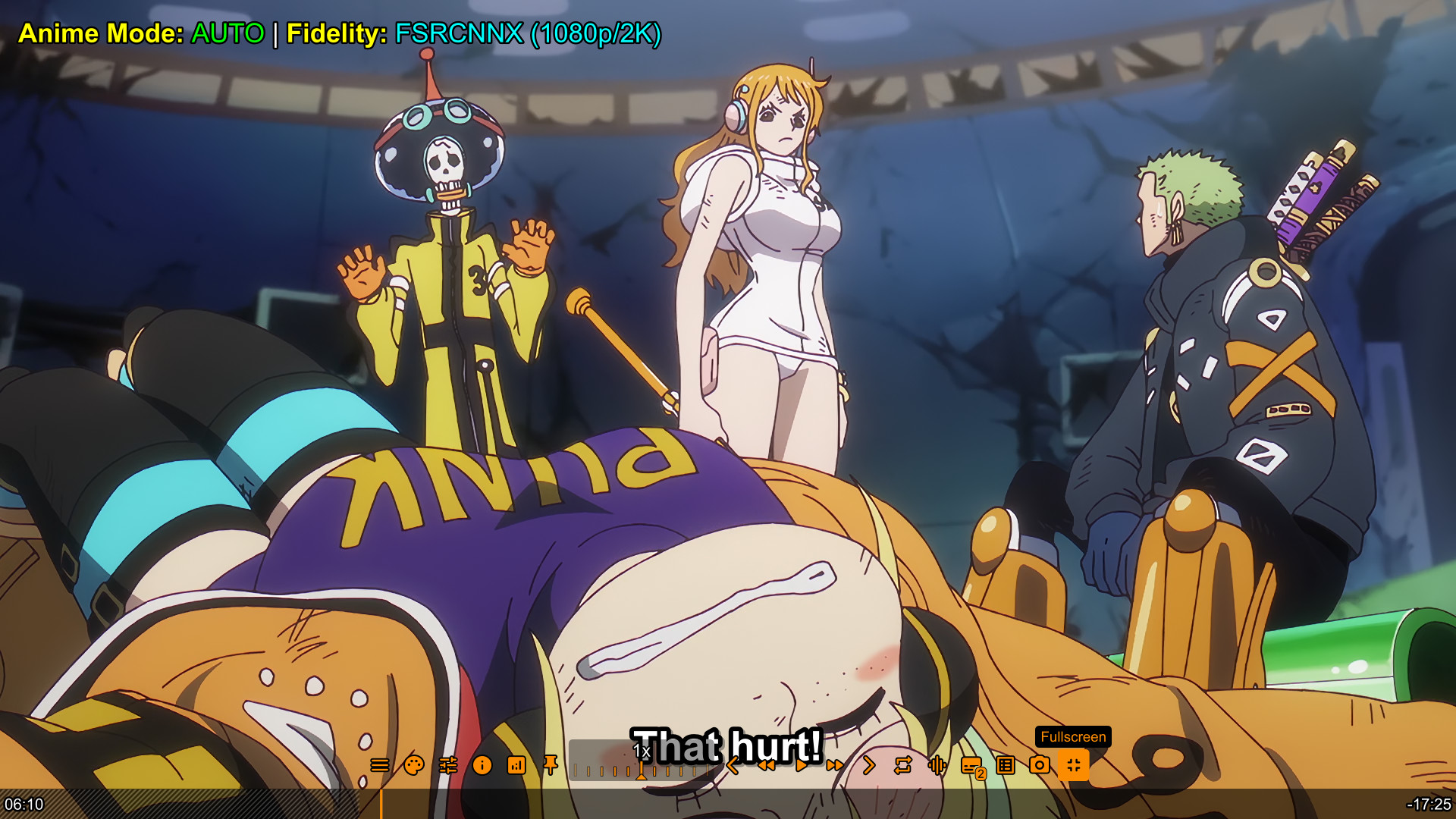 Fidelity (Purist)
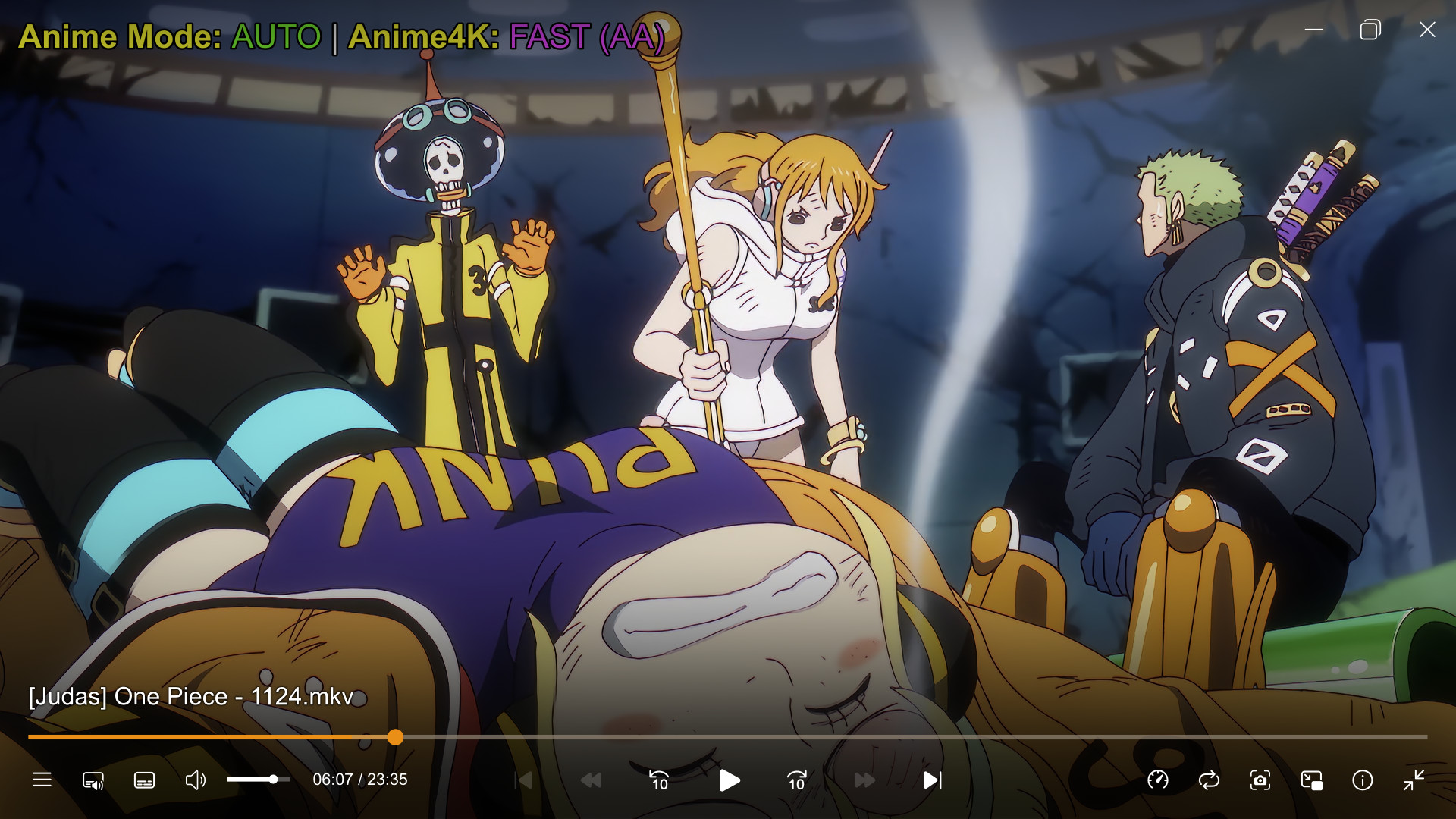 Anime Mode (Green)
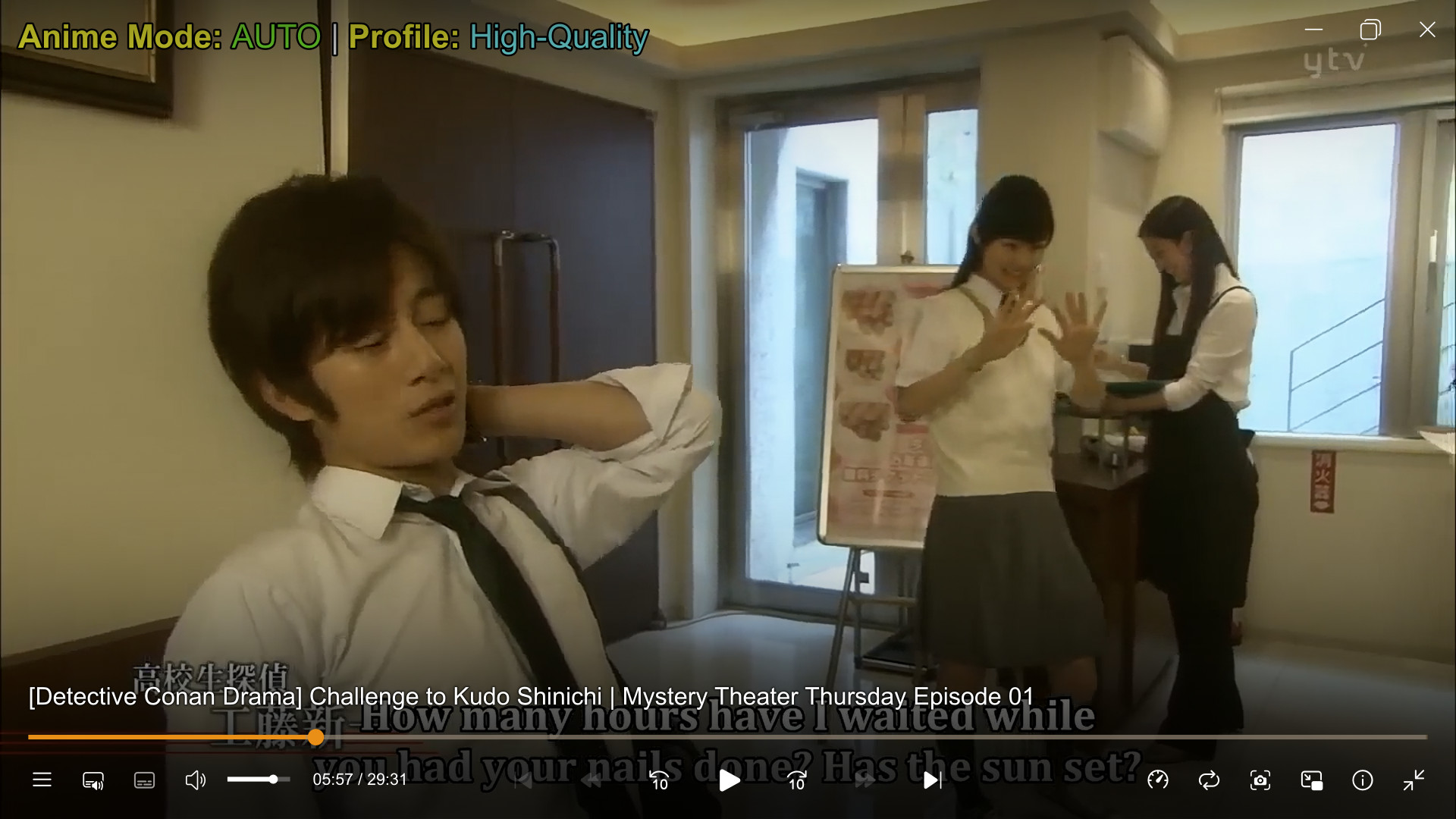
 Live Action (Red)
 FSRCNNX (Manual)
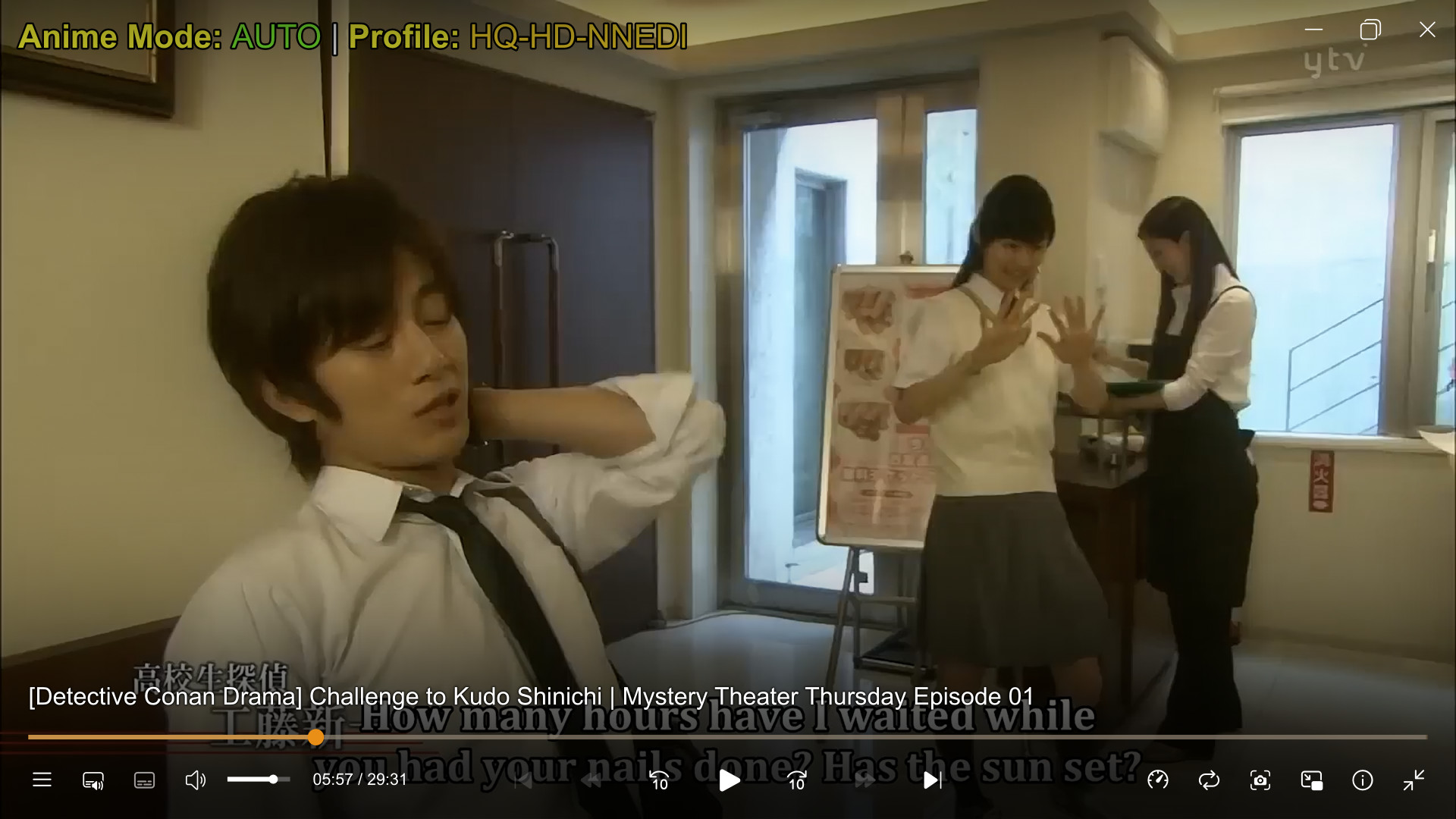 NNEDI3 (Auto)
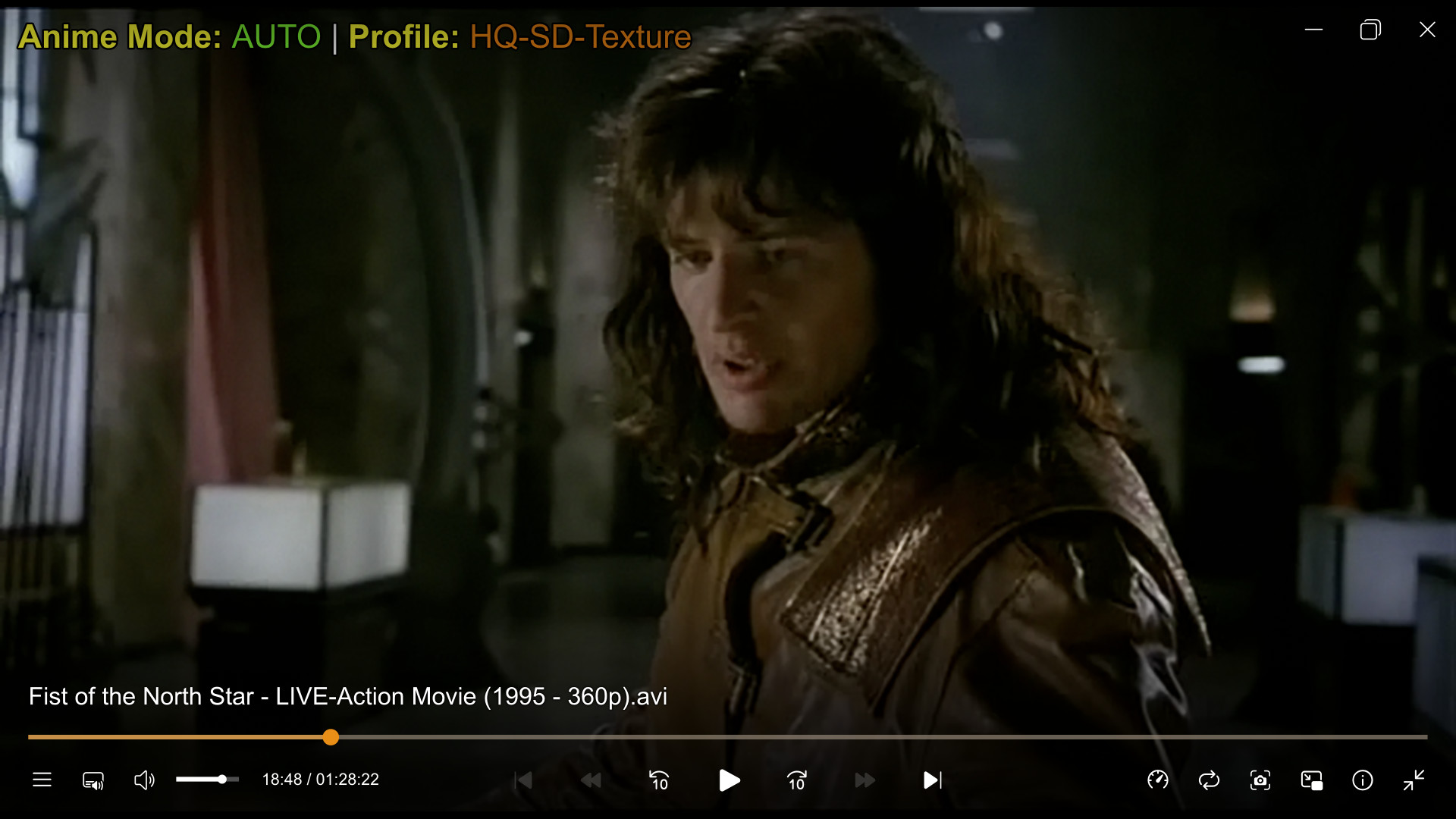 Texture Mode
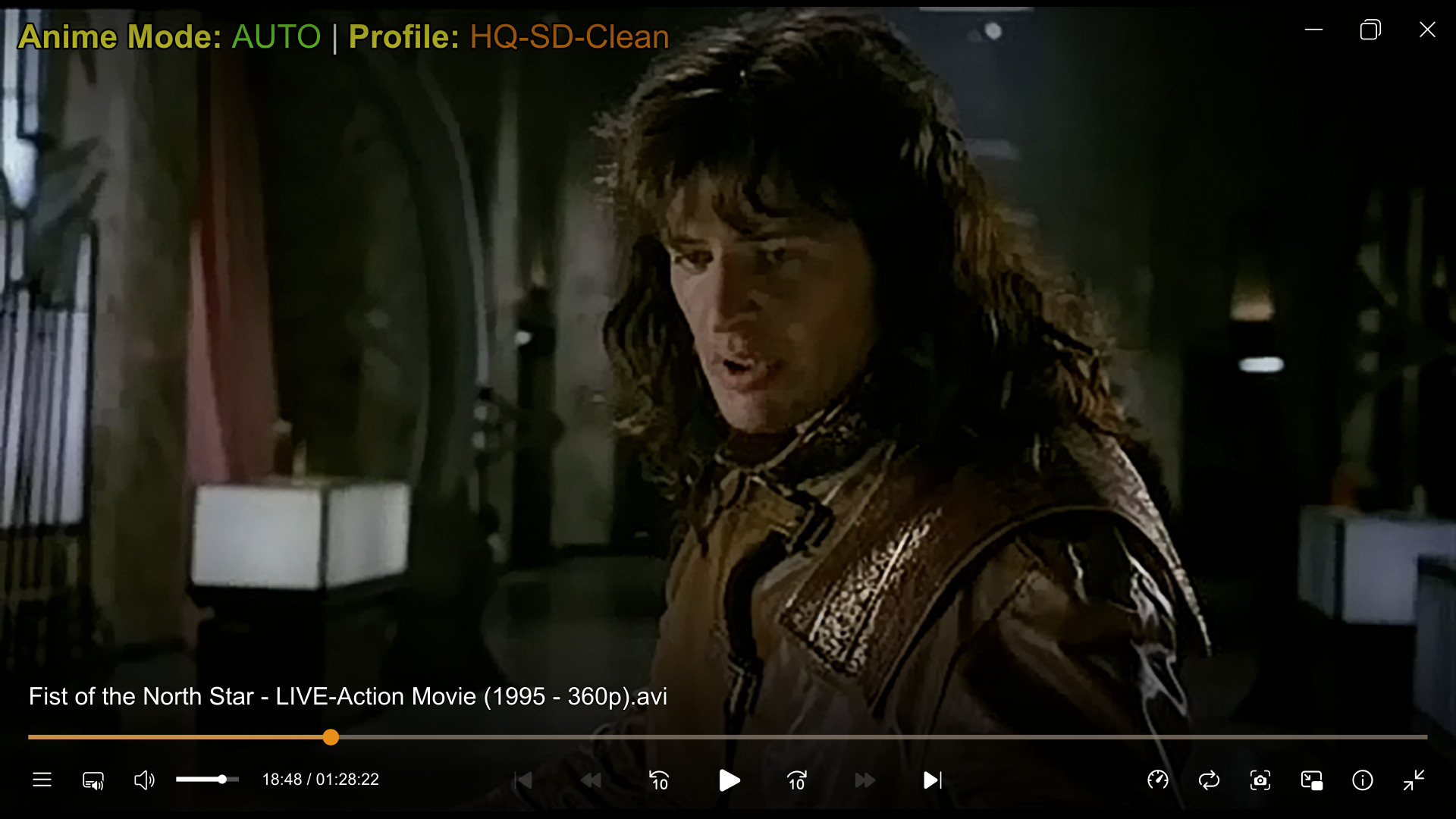 Clean Mode
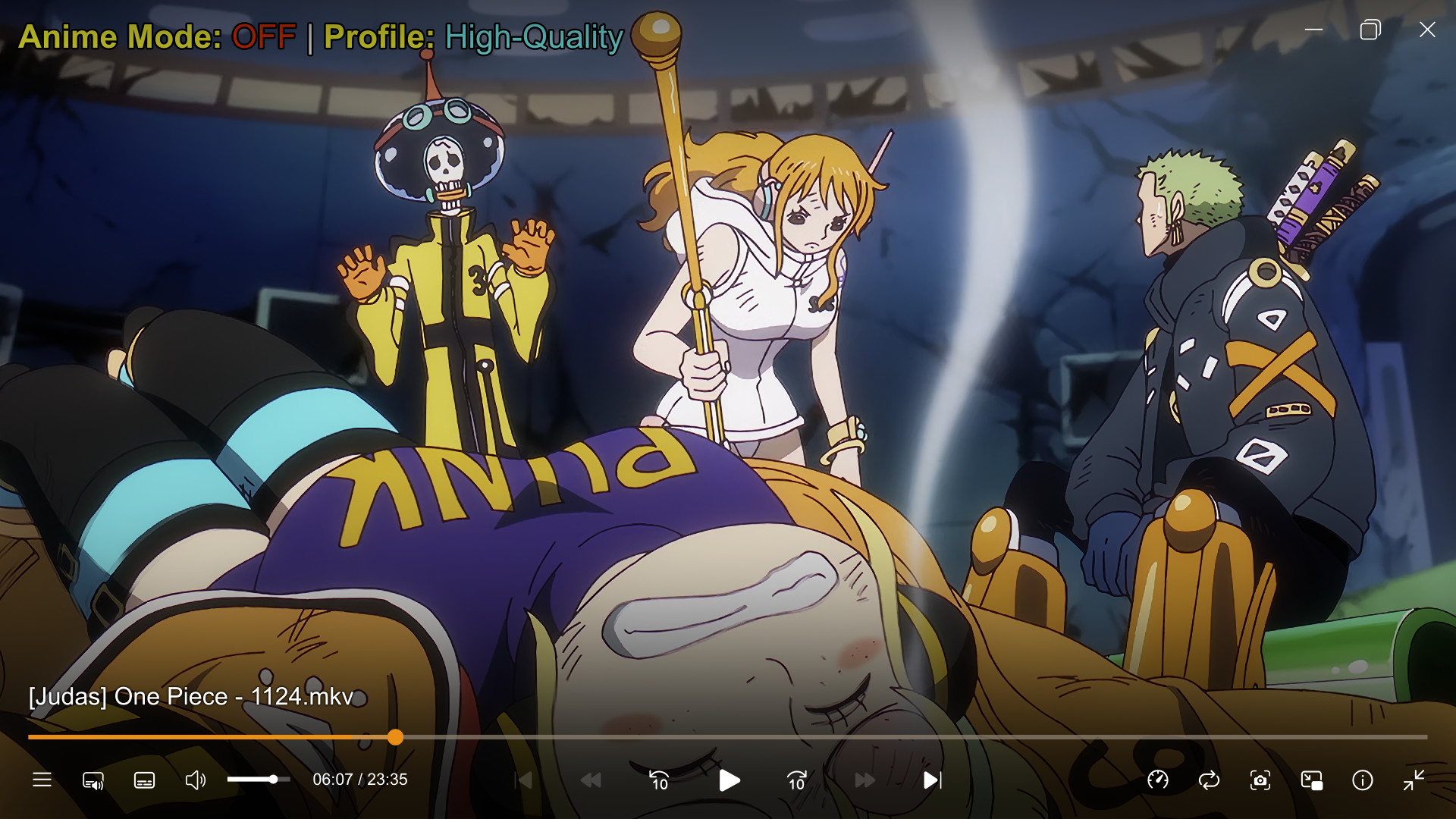
This build offers two distinct ways to watch anime. Switch instantly using CTRL + ' (OFF) , CTRL + l (AUTO) and CTRL + ; (ON).
The "Modern" Look
The "Faithful" Look
| Resolution | Anime4K Mode (ON) | Reference Mode (OFF) | Best Choice |
|---|---|---|---|
| SD (<576p) (DVDs, Old Rips) |
Restoration Focused Aggressively removes compression artifacts. Attempts to "re-draw" jagged lines. |
Detail Focused (NNEDI3-256) Uses deep neural networks to reconstruct details while preserving retro texture. |
ON for Blocky OFF for Quality |
| HD (720p) (TV Rips, Web) |
Upscale Focused Sharpening maximized to simulate 4K. Lines become thin and crisp. |
Smoothness Focused (NNEDI3-64) Prioritizes smooth, connected lines (anti-aliasing) over raw sharpness. No ringing. |
ON for Crisp OFF for Accurate |
| FHD (1080p) (Blu-Ray) |
Enhancement Focused Adds "digital sheen" and enhances edge contrast. |
Fidelity Focused (FSRCNNX) Fixes color bleeding (KrigBilateral) and adds cinematic grain. |
ON for Razor OFF for Purist |
| 4K (2160p) (Modern Movies) |
Pass-through Light processing to avoid over-sharpening. |
Native 1:1 Bit-perfect pixel mapping. No upscaling needed. |
OFF Always |
Want Studio-Mastered Quality with Professional Scaling?
1. Press CTRL + ' to disable enhancements (Mode OFF).
2. Press Q to toggle scaling: NNEDI3 (Soft/Natural) or FSRCNNX (Sharp/Clean).
Want Absolute Raw Output?
Press CTRL + g to engage the Master Kill Switch.
This instantly disables ALL shaders (Upscalers, Deband, Sharpening) for a 1:1 bit-perfect render.
(Perfect for A/B testing. Your choice is saved automatically.)
| Scaler | Sharpness | Ringing | Best Use Case |
|---|---|---|---|
| ewa_lanczossharp | ⭐⭐⭐⭐ | Low | Best General Upscaler. The "Gold Standard". Sharp but clean. |
| spline64 | ⭐⭐⭐⭐⭐ | Medium | Best Downscaler. (SVP Choice). Retains maximum 4K texture on 1080p. |
| lanczos | ⭐⭐⭐⭐⭐ | High | Classic Sharp. Very crisp, but creates halos. For "crunchy" image lovers. |
| spline36 | ⭐⭐⭐ | Low | Best Chroma Scaler. Perfect balance for color. High quality, zero artifacts. |
| mitchell | ⭐ | None | Smooth. Soft scaler that hides compression. Good for downscaling. |
| bilinear | 🌑 | None | Emergency Only. Blurry but fast. Use only if GPU overheats. |
| Test Format | Source Type | MPV Behavior | Status |
|---|---|---|---|
| HDR10 | HEVC 10-bit / PQ / BT.2020 | Passthrough to Display (Auto-trigger) | Pass |
| Dolby Vision P5 | HEVC 10-bit / DoVi / Streaming | Correct Tone Mapping (Fixes Purple Tint) | Optimized |
| Dolby Vision P8 | HEVC 10-bit / DoVi / Hybrid | Dynamic Tone Mapping to HDR10 | Pass |
| HLG | VP9 / HLG / Broadcast | Correct Gamma / Brightness Map | Pass |
| MaxCLL/FALL | Static Metadata | Metadata Passed to GPU Driver | Pass |
v4.9 adds a dedicated Open File button to the UOSC controls bar. It opens UOSC's file-selection menu directly inside MPV for quick video and audio selection.
If your video folders contain poster, backdrop, thumbnail, or other image files, keep the browser focused on playable media with:
load_types=video,audio
show_hidden_files=no
image_types=
This prevents image assets from appearing in the Open File menu while keeping video/audio selection available.
This build is the perfect "Engine" for high-quality streaming. We recommend these apps for the best 4K HDR and Anime Tracking experience.
Best For: Movies, TV & 4K HDR
The ultimate hub. Supports real-time torrent streaming, Dolby Vision, and 4K HDR.
*Enable "Play in External Player" in settings.
Best For: Anime Only (Tracking)
Dedicated Anime clients that sync with Anilist/MAL automatically while you watch.
*Set Custom Player Path to your mpv.exe.
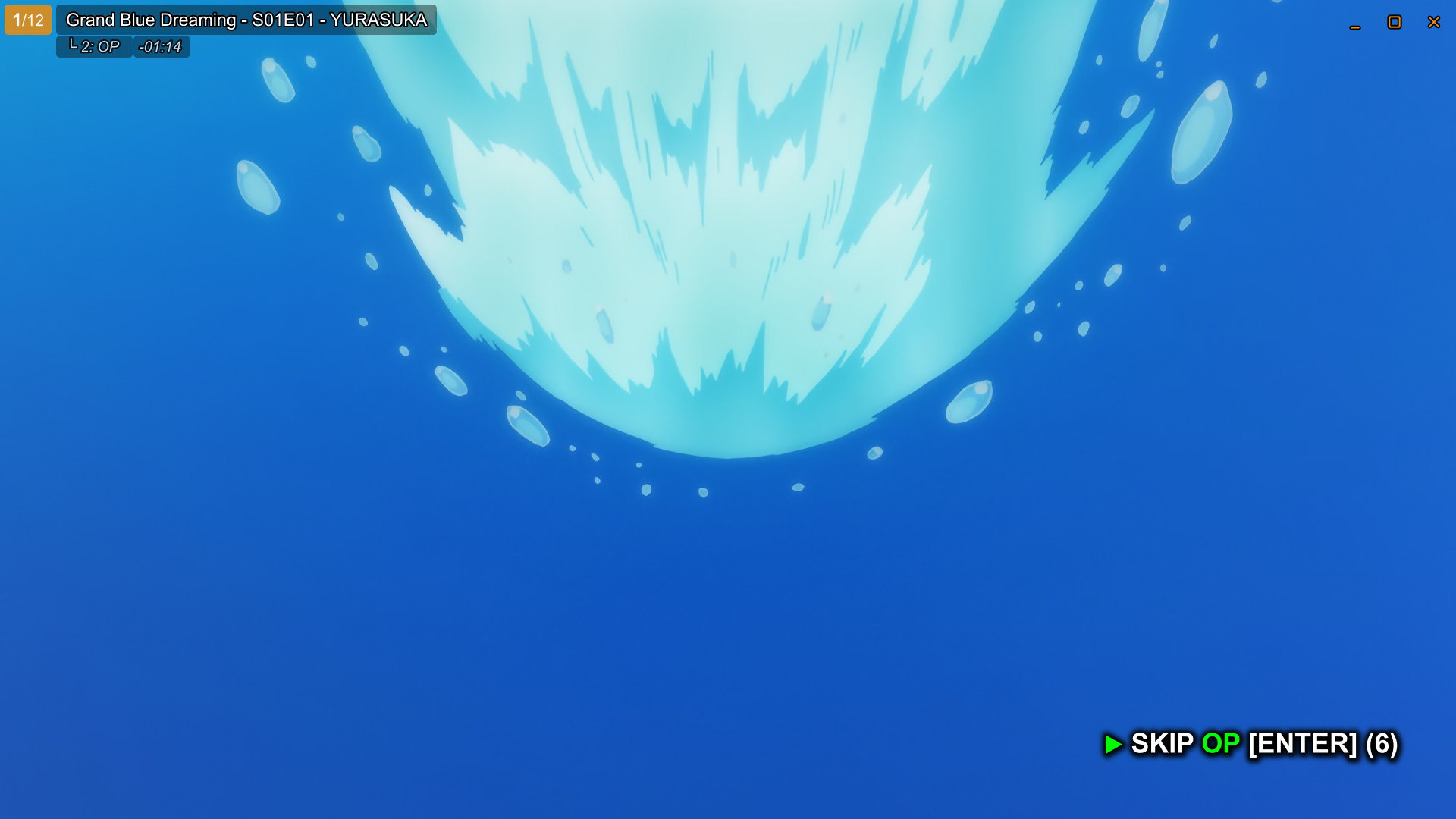
Opening (OP) • Green Indicator
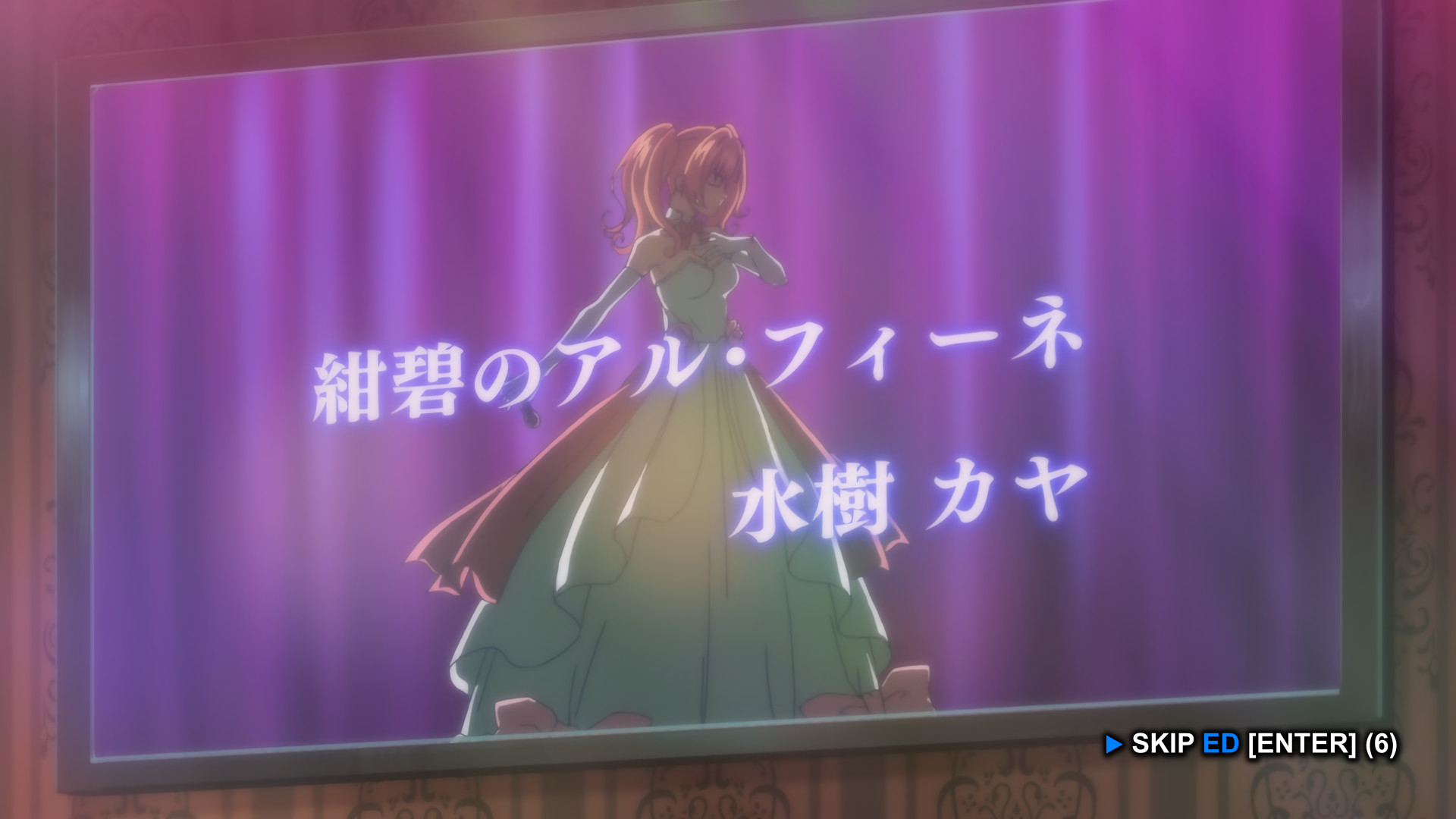
Ending (ED) • Blue Indicator
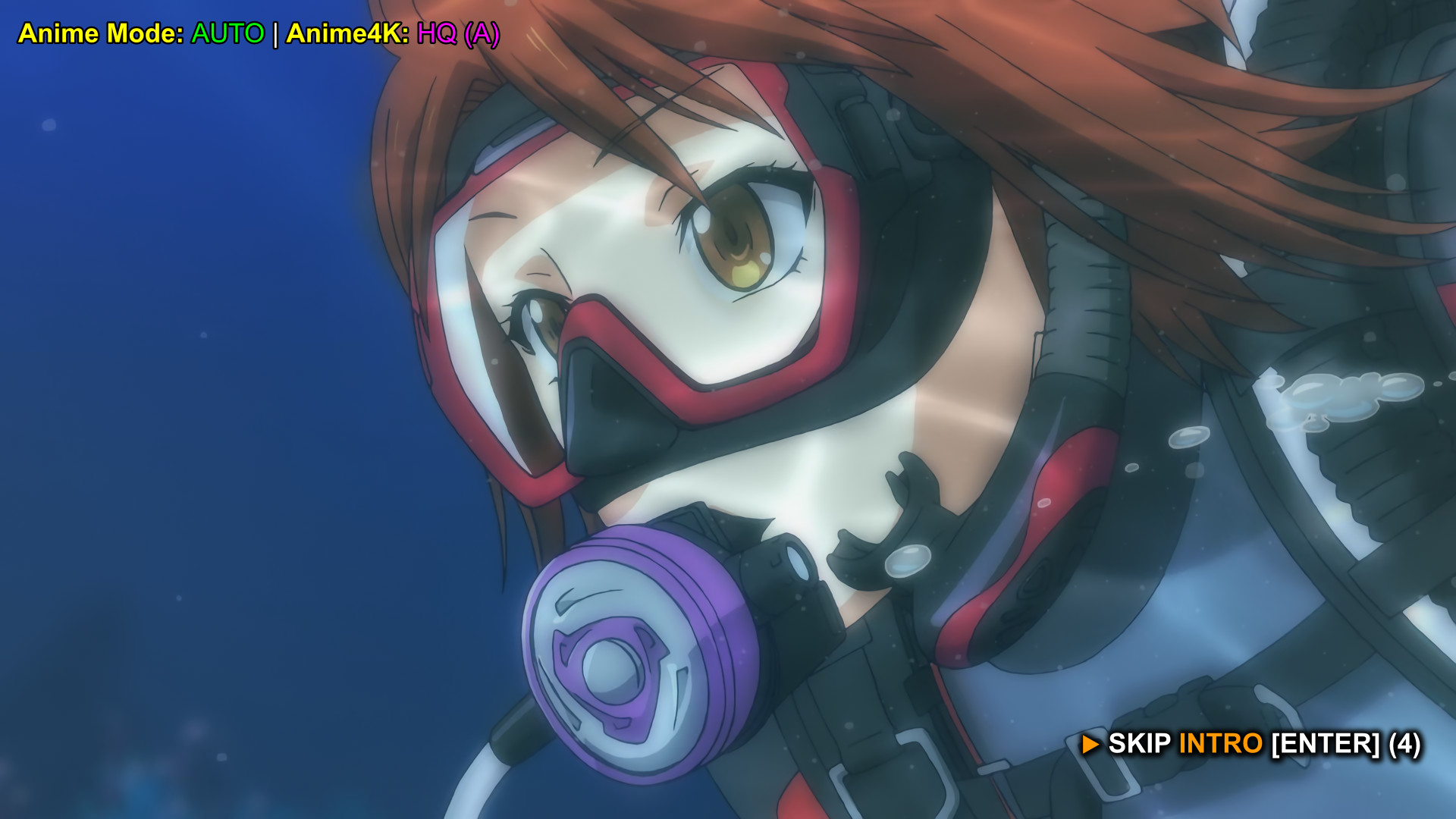
Generic Intro • Magenta Indicator (image shows the previous palette)

Visual Feedback • Instant Confirmation
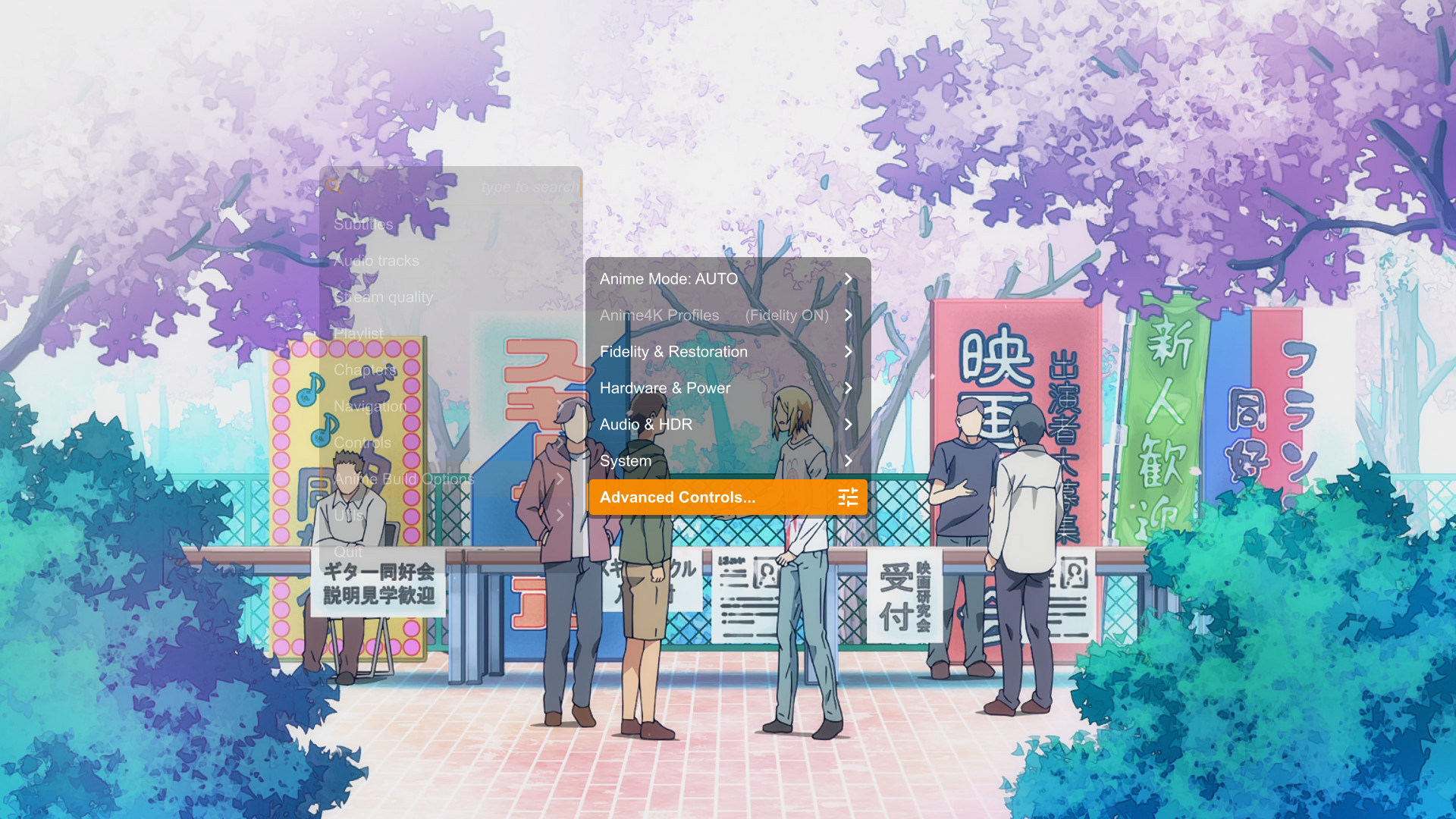
Anime Build Options • Quick Access Hub
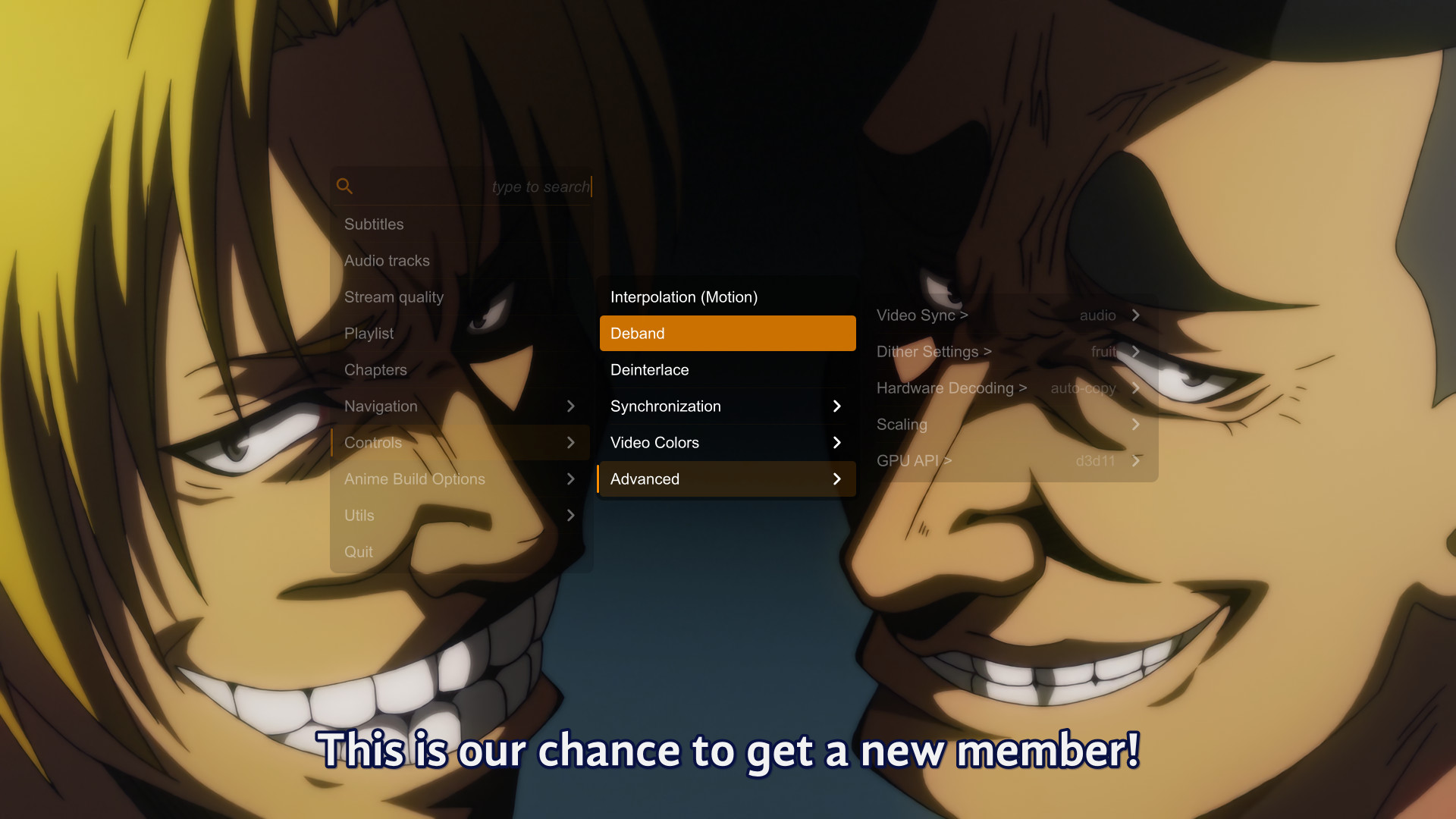
Advanced Controls • Deep Customization
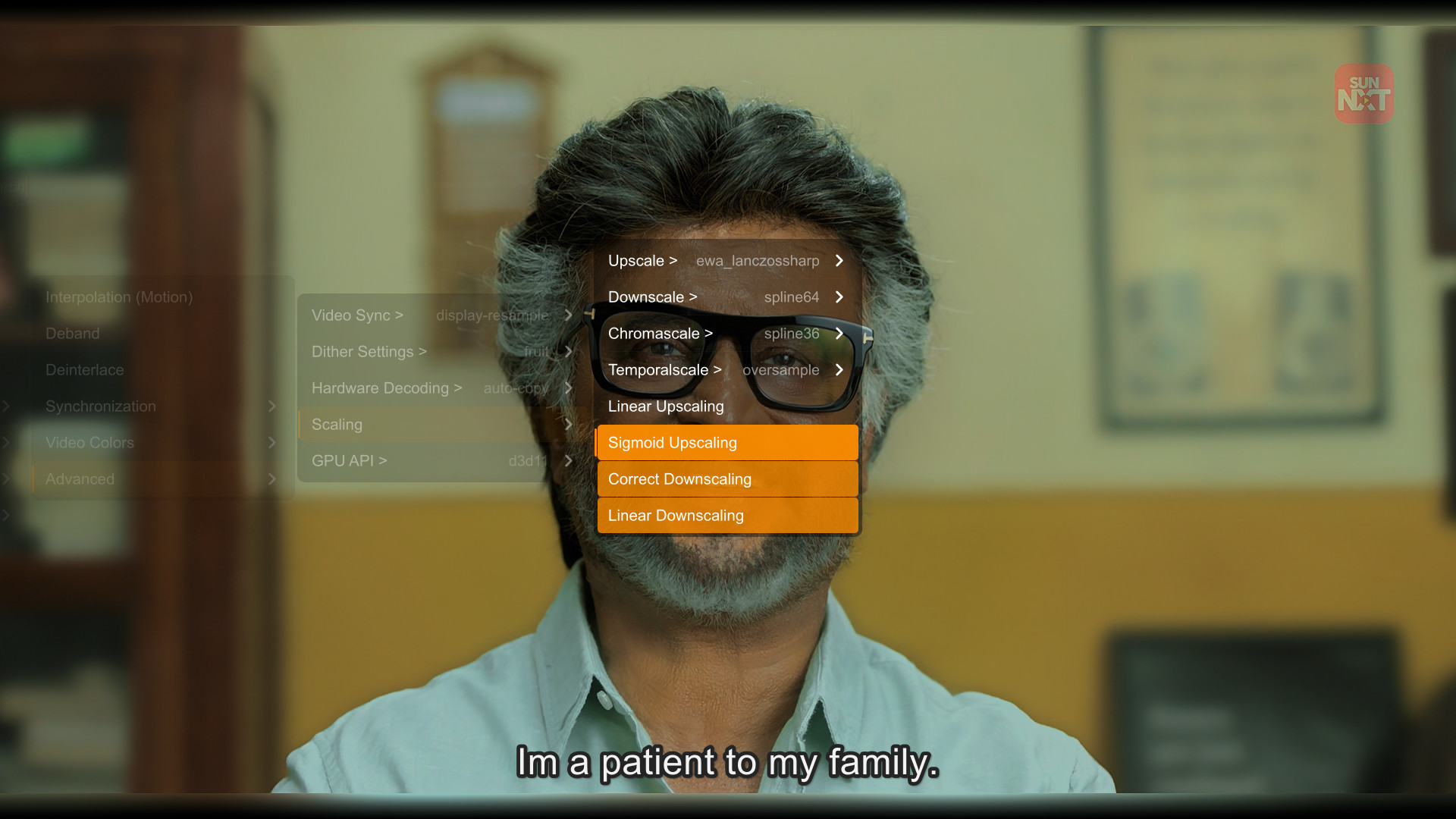
Expanded Scalers • Select Spline64, Lanczos, or EWA Lanczos instantly.
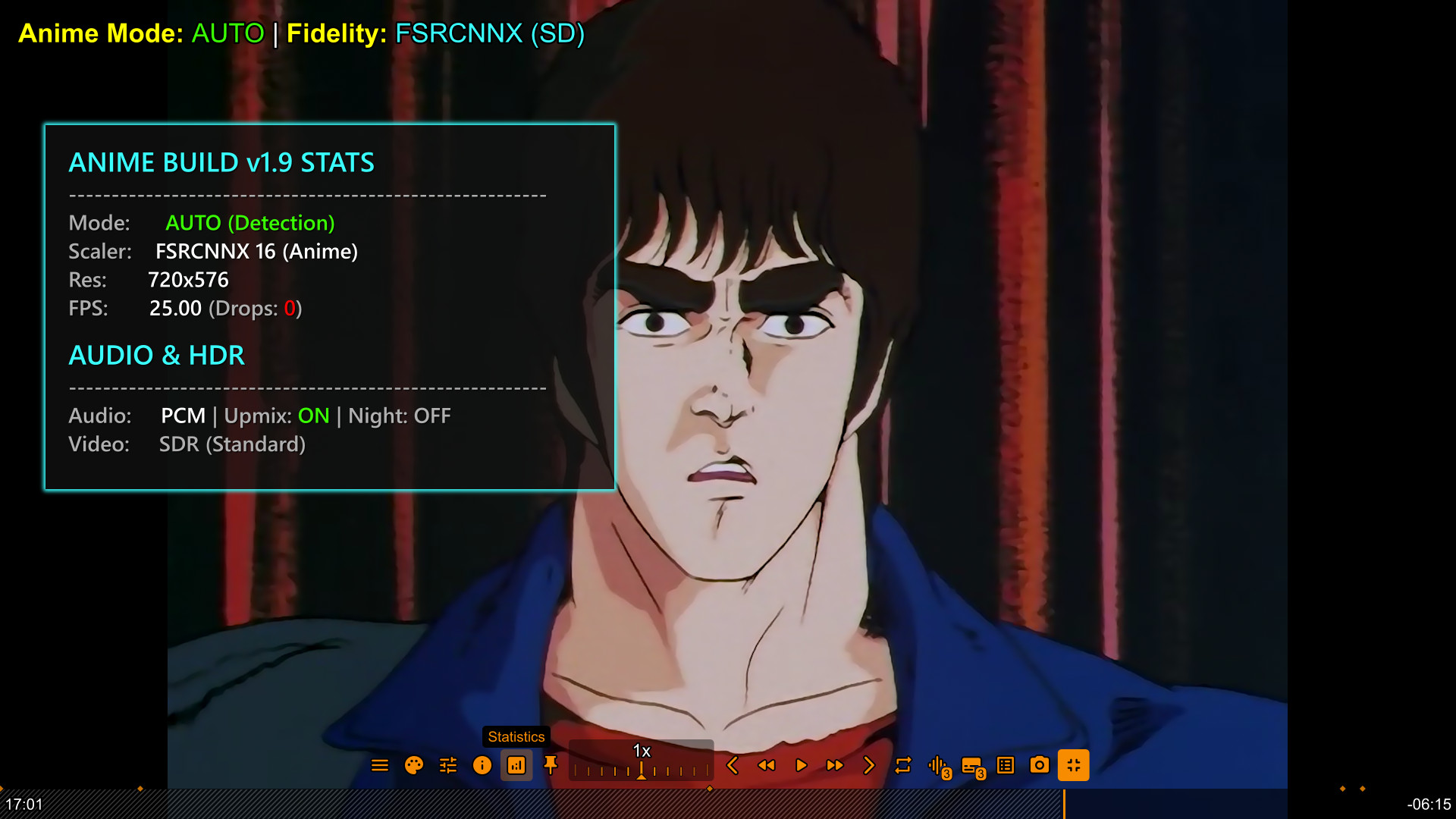
Press CTRL+i or Press New 'Statistics' Button to view the new Statistics overlay. It now shows exactly which Fidelity mode is active, your Audio Upmix status, and Drop frames.
Configurable display-to-device audio mappings in auto_audio_device.conf for Linux, Windows, and macOS, featuring human-readable EDID and monitor-name identification.
Browse, filter, and jump to lines of dialogue across subtitle tracks with mpv-subtitle-lines, a contextual UOSC button, and CTRL+f shortcuts.
Accurate context-aware shader reporting in CTRL+i, expanded glass panel layout, unified Microsoft Sans Serif OSD fonts, and balanced interface font scaling.
External controllers keep their IPC endpoint while SVP and discovery-based integrations can attach through a shared per-process alias on Unix systems.
The upstream UOSC self-updater is removed so it cannot overwrite Anime Build menus and integrations. Manual build checks now open the exact GitHub release page.
Release ZIPs receive SHA-256-specific VirusTotal reports without replacing the handwritten release description.
Explicit Live-Action path and title markers once again override Anime folder and Japanese-audio signals in Auto mode, selecting the correct resolution-aware profile.
Thumbfast now ships with software decoding enabled for its helper process, avoiding hardware-decoder compatibility problems during thumbnail generation.
yt-dlp subtitle requests now stay limited to English and original-English tracks, removing unintended Telugu language requests.
The complete Low-End profile stays active across file and metadata changes, while remembered preferences return safely when Power Saving ends.
Automatic selection skips commentary, preserves clean-track priority, and falls back to a complete SDH track when no usable clean subtitle exists—even without preferred-language metadata.
Windows DisplayConfig and KDE Plasma KScreen detection are isolated by platform, while other Linux compositors use mpv's native colorspace negotiation.
UOSC Controls and HDR selections persist in update-safe user-<custom-name>.conf files and are reapplied after automatic profiles.
One update-safe mpv-<custom-name>.conf file can override normal options from the shipped mpv.conf on Windows and Linux.
Resolved disabled track overrides, Linux peripheral batteries triggering Eco mode, and startup profile conditions receiving incomplete metadata.
The two adjacent Anime shaders now use explicit anime_mild and anime_aggressive filenames, with saved legacy paths migrated automatically.
Optimized anime_profile_controller.lua and main.lua to fix minor bugs, reduce unnecessary processing, and improve state handling.
A new Open File control opens UOSC's native file-selection menu directly from the player for quick video and audio selection.
Configure UOSC with load_types=video,audio, show_hidden_files=no, and image_types= to keep poster and artwork files out of the Open File menu.
Several UOSC controls, menus, and interaction behaviors were refined for a more consistent MPV Anime Build workflow.
Updated track-selector.lua with v4.9 fixes and behavior refinements to improve track-selection reliability while preserving manual selection and override behavior.
UOSC 5.13.0 highlights detected OP, ED, PV, and Intro chapters with the same transparent colors used by Skip Intro: OP green, ED blue, PV orange, and Intro magenta. The Intro/PV swap improves contrast between neighboring chapter ranges.
Added mpv-youtube-download and bound it to the UOSC Download button. Downloads go to ~/ytdl by default and can be changed in youtube-download.conf.
Adjusted Adaptive Sharpen and Anime Line-Thinner values across resolution tiers for smoother edges while preserving background texture and subject detail in Anime and Live-Action content.
Expanded the Audio-Only profile with additional visualizer styles for a more varied music playback experience.
Updated mpvSockets.lua to prevent command-window flashes on Windows when socket commands are executed.
Updated the integrated UOSC interface to version 5.13.0 while preserving the custom MPV Anime Build menus and controls.
Manual audio/subtitle changes are remembered per video for resume. Once restored, the override remains active across next/previous files for the current MPV session or playlist.
Added persistent playback history tracking up to 50 files with visual progress bars and 95% completion indicators, paired with resolution-aware line-thinning shaders and context-aware shortcut toggles (Ctrl+j).
Color-coded, neatly wrapped status display for active filters and shaders. Now uses native data parsing for zero-artifact output. Press 'k' for A/V Filter and Shaders Info
New UOSC toggle for Audio-Only mode (Auto/Disable), alongside deep race-condition fixes for iGPU systems to ensure perfect media type detection.
Integrated the highly optimized Anime4K-Ultra shaders by Th-Underscore. Experience superior line thinning and pre-sharpen blur-pulls via a new 3-tier dynamic quality menu.
Integrated Ani4Kv2 and AniSD neural network models into the Anime4K profiles for cutting-edge line-art reconstruction and artifact removal.
A robust new HDR controller: Choose between Auto, HDR Display (Passthrough), or SDR Display (Tone-Map) to bypass OS detection errors.
A dedicated Subtitle Styling menu within the UOSC Controls allows you to customize fonts, colors, and borders instantly without touching config files.
The core Windows engine now explicitly prioritizes NVIDIA's highly efficient nvdec decoder for ultra-smooth rendering on RTX/GTX hardware.
Seamlessly adjust audio levels and trigger the modern glass UOSC volume UI by simply scrolling your mouse wheel anywhere on the video.
Anime4K is no longer a single global toggle. Your Quality and Mode preferences are now remembered independently for each resolution tier (SD up to 8K).
A dedicated, hardware-safe hqdn3d control suite in the menu to instantly clean up heavy film grain or low-bitrate compression artifacts.
Intelligently handles missing metadata by prioritizing "Dialogue" subtitle tracks and gracefully falling back to muxer defaults if needed.
Zero-overhead profile for music. Automatically disables heavy video shaders and features built-in support for visualizers and album art.
A new immersive viewing mode that fills black bars with glowing ambient colors.
Seamlessly pop the video out into a Picture-in-Picture floating window for multitasking.
Instantly fine-tune your audio frequencies directly from the newly overhauled UI without leaving the player.
Hardware-decoded 8K detection that automatically bypasses heavy upscalers to prevent GPU crashes and ensure smooth playback.
Faster state transitions, lower startup overhead, and a completely reorganized UOSC Glass UI with new intuitive submenus.
A completely reworked UOSC theme with translucent menus, neon accents, and a centralized control hub.
Reworked detection logic sends raw metadata to your display when Windows HDR is active.
Upscale 1080p anime to 4K with restoration, or clean up old 480p DVDs.
Don't like the "oil painting" look? Use FSRCNNX for anime. Pure scaling, no art alteration.
Live Action uses NNEDI3 and Adaptive Sharpen to mimic Sony/Samsung TV processing.
"Up Next" and "Skip Intro" overlays are clickable. Hover to activate, click to skip instantly.
Detects Anime Mode on Stremio & Web Links by scanning internal audio tracks for Japanese language.
Scaling is no longer fixed. The build detects your monitor and applies Adaptive Scaling (1.0x - 4.0x).
Detects Laptop Battery. Actively LOCKS heavy shaders to prevent drain and auto-switches to ECO Mode.
Swap variants instantly. Separate memories for SD (Clean) & HD (Sharp) Live-Action content.
Includes Spline64 and Lanczos to match SVP 4 Pro quality when downscaling 4K movies.
The build remembers everything: Upscaler choice, Shader state, and HDR settings across restarts.
Dynamic Range Compression for audio. Lowers explosions, boosts dialogue. Perfect for night watching.
Controls for Video Sync/Temporal Scalers, plus a smart Stats overlay that calculates true target resolution.
This MPV Custom Build is a pre-packaged solution that replaces manual configuration.
It combines a highly tuned mpv.conf with the best open-source shaders available.
